Automatic savings on direct downloads
Organise / An Excel workbook for your own records
More in Small Business Tools

Small Business Profit & Pricing Spreadsheet

Running a small business is exciting. Working out whether you’re actually making any money? Slightly less glamorous. 📊

Direct price: £5.99 £7.9925% OFF

Buy on partner platforms Etsy or Payhip:
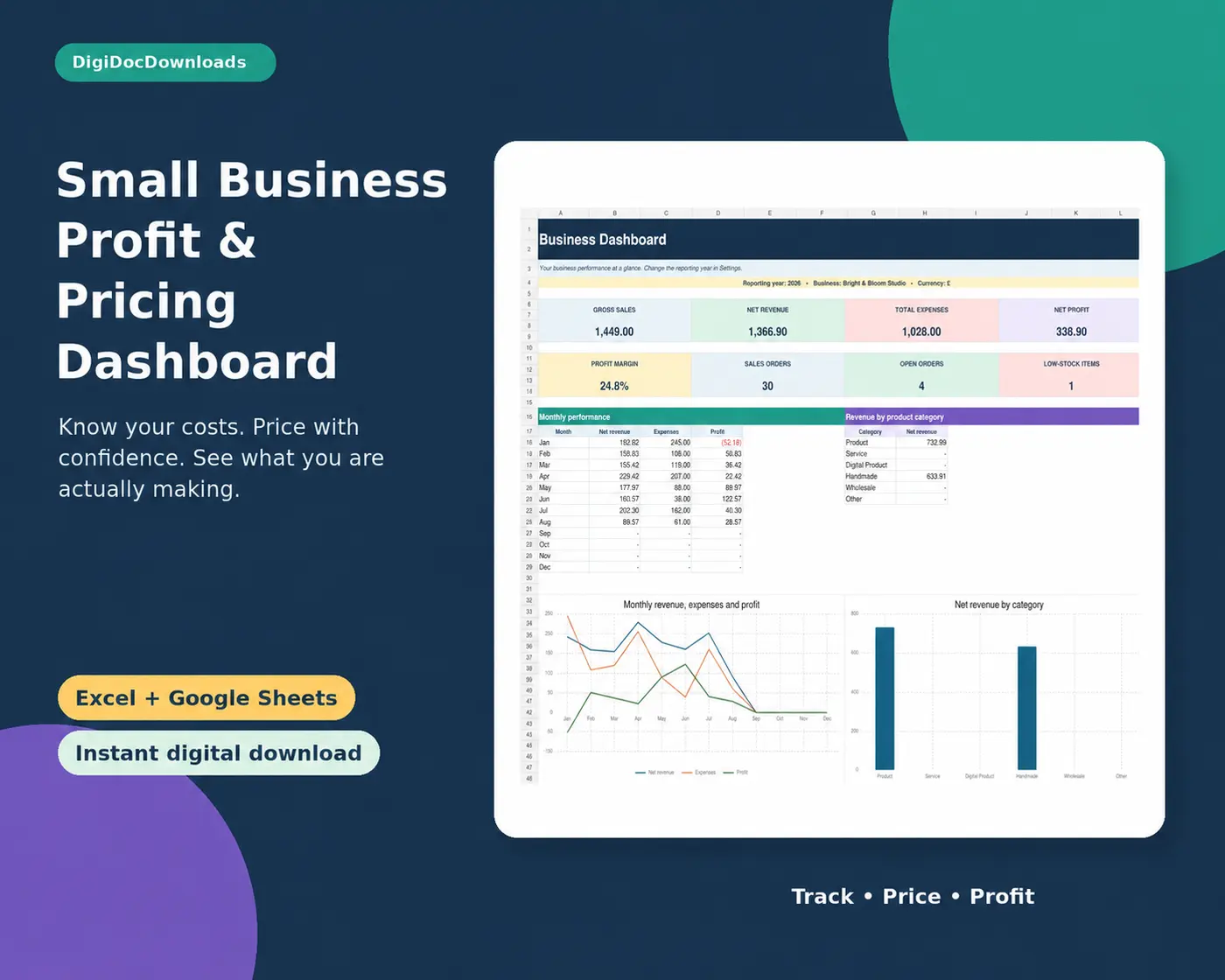
A closer look inside

  • Calculate the true cost of every product
  • Include materials, packaging, labour and overheads
  • Find your break-even and target selling prices
  • Calculate platform fees and tax within your prices
  • Compare retail and wholesale profit margins
  • Track gross sales and actual net revenue
  • Record expenses and recurring costs
  • Manage orders, deadlines and payment status
  • Monitor inventory and receive reorder warnings
  • See revenue, expenses, profit and margin on a live dashboard
  • Clean Excel workbook ready for your business
  • Completed demonstration workbook
  • Plain-language setup instructions
  • Nine connected spreadsheet tabs
  • Space for 50 priced products
  • Space for 200 sales, 200 expenses and 200 orders

Good to know

Use the clean workbook for your records and the demo for examples. Enter your own costs, fees and tax assumptions; verify them before pricing. Microsoft Excel is recommended; check compatibility before importing into another app.

Excel workbook9 connected tabsEnglish
Full Etsy listing description
Running a small business is exciting. Working out whether you’re actually making any money? Slightly less glamorous. 📊 The Small Business Profit & Pricing Dashboard brings your pricing, sales, expenses, orders and inventory together in one colourful, easy-to-use spreadsheet system. Simply fill in the pale-yellow cells and let the workbook handle the calculations. ✓ Calculate the true cost of every product ✓ Include materials, packaging, labour and overheads ✓ Find your break-even and target selling prices ✓ Calculate platform fees and tax within your prices ✓ Compare retail and wholesale profit margins ✓ Track gross sales and actual net revenue ✓ Record expenses and recurring costs ✓ Manage orders, deadlines and payment status ✓ Monitor inventory and receive reorder warnings ✓ See revenue, expenses, profit and margin on a live dashboard What’s included: ✓ Clean Excel workbook ready for your business ✓ Completed demonstration workbook ✓ Plain-language setup instructions ✓ Nine connected spreadsheet tabs ✓ Space for 50 priced products ✓ Space for 200 sales, 200 expenses and 200 orders ✓ Inventory tracking for 100 products Perfect for: • Etsy and online sellers • Handmade and craft businesses • Candle, soap and jewellery makers • Bakers and product-based businesses • Market-stall sellers • Creative side hustles • Small shops that want clearer numbers without an intimidating accounting system How it works: Add your business name, currency and normal fee rates. Enter your products and costs into the pricing calculator. Record sales, expenses, orders and stock. Open the dashboard to see what your business is actually making.
From download to done

Get ready for Small Business Profit & Pricing Dashboard

  1. Use the clean workbook for your records and the demo for examples. Enter your own costs, fees and tax assumptions; verify them before pricing. Microsoft Excel is recommended; check compatibility before importing into another app.
  2. Read the included guide and keep a fresh working copy of your files.
  3. Choose the pages or records that suit your plans.

A little practical help

I paid with Stripe on this website. Where are my PDFs?

After payment is confirmed, download buttons appear in this website’s checkout panel. Keep your private purchase link safe. On the same browser with an empty basket, Secure checkout can also show previous purchases saved here; clearing browser storage removes that local copy. Reopening a private purchase link checks payment again and refreshes temporary file links. Automatic file-email delivery is not available for this direct Stripe route. Never share your private purchase link publicly.

How do I find a Payhip purchase?

Use the download page shown after a successful Payhip purchase, or the download or login link in your Payhip receipt email. Check the inbox used at checkout, including spam or junk. A membership uses its login link. If access is missing, contact the seller using the address in that receipt; an Etsy account will not contain a Payhip order.

My file will not open. What should I try?

Try a fresh download and software compatible with the file type. If the download is a ZIP, extract it first. If the problem continues, contact the shop with the product name, device and error message.

How do I download an Etsy purchase?

Open Etsy in a web browser, sign in and go to Purchases. Find your order and select Download Files. For an instant download, files become available after payment confirmation.

When were the Etsy prices checked?

Matched products show the GBP price observed on Etsy with a checked date. Offers can change, so the matching listing confirms the final checkout price and availability.

Visit the help centre

A little Pinterest inspiration

Save this download for later or explore more ideas.

A few more good ideas

Browse all downloads
Small Business Profit & Pricing Spreadsheet enlarged product preview