Use Previous and Next, or swipe the large image on a touch screen. Tap it for a closer look.
Image 1 of 7
Watch the short preview
A closer look inside
Stitch and row counts for three sizes
Seam maps and illustrated assembly
Custom sizing and a raised pocket floor for short needles
Optional labels and a printable needle inventory
Good to know
Digital knitting pattern. Measure needles with both ends capped before choosing a size.
One 10-page A4 PDFThree sizes for capped needles 10–21 cm longKnit flat in DKUK knitting terms
Full product description
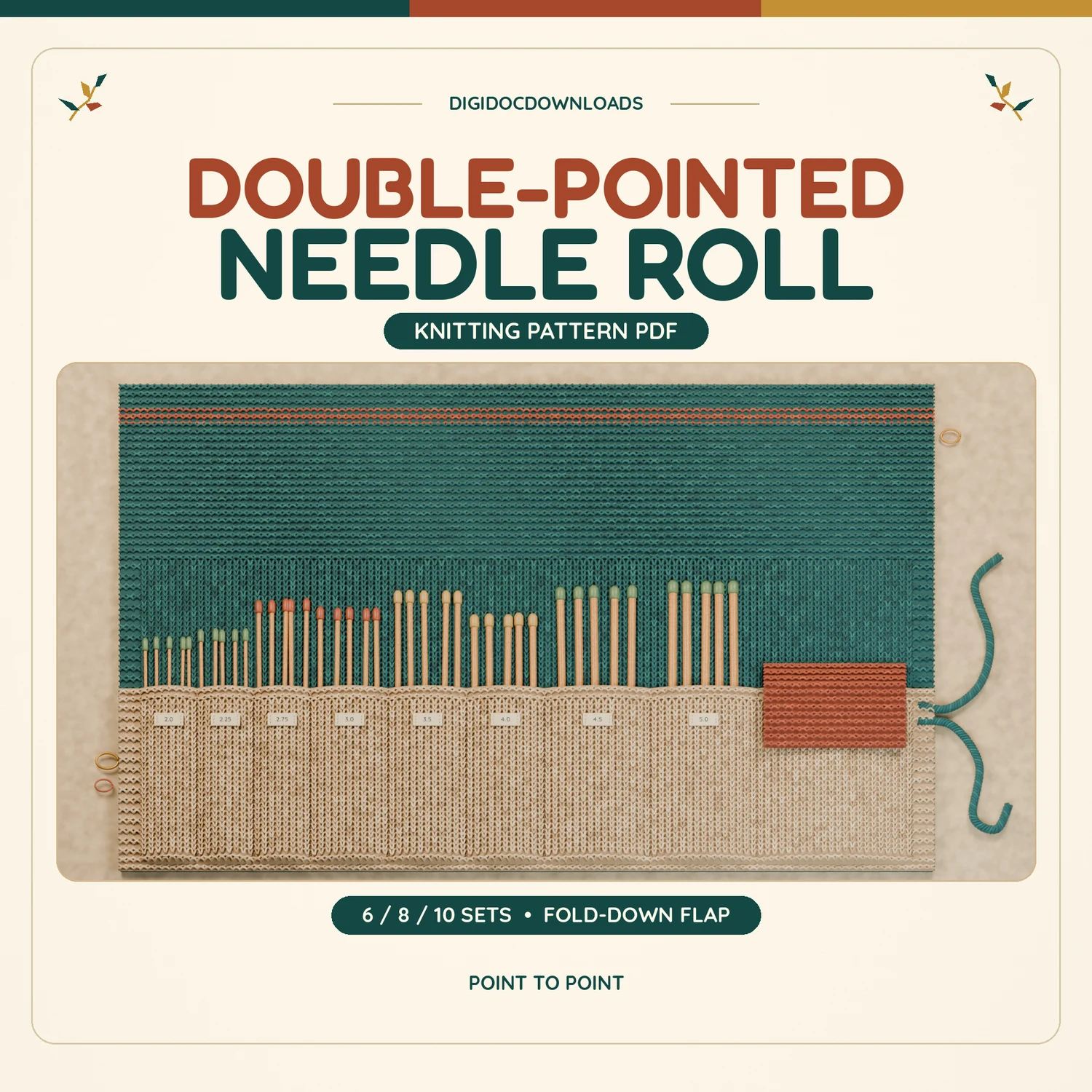
Keep each set of double-pointed needles together in a compact knitted roll. This knit-flat DK pattern comes in three sizes with six, eight or ten needle-set pockets, a fold-down flap that covers the capped tips and a separate snap pocket for a slim tape measure or a small closed pouch of markers.
Choose Mini for capped needles 10–13 cm long, Everyday for 13–17 cm or Long for 17–21 cm. Each roll has narrow, standard and wide lanes. The pattern shows how to measure a capped set, choose a lane and raise the floor of one pocket for a shorter set. Custom sizing, a worked example and a printable needle inventory sheet are included. Optional sewn labels make it easier to tell similar sets apart.
The 10-page A4 PDF uses UK knitting terms and includes stitch and row counts, seam maps, illustrated assembly and care instructions. Suits a confident beginner who can knit, purl, cast on and off, and sew simple seams. You’ll need DK yarn, knitting needles to match gauge, a sew-on snap and basic tools.
You receive one digital A4 PDF. The case, yarn and needles are supplied by you. The product artwork is a design illustration.
From download to done
Get ready to knit your needle roll
Measure each set with both ends capped and choose the matching size and pocket width.
Check the washed DK gauge, then knit the panels and follow the seam map for your size.
Baste before sewing and check the fold-down flap with the loaded pockets.
A little practical help
How do I find a Payhip purchase?
Use the download page shown after a successful Payhip purchase, or the download or login link in your Payhip receipt email. Check the inbox used at checkout, including spam or junk. A membership uses its login link. If access is missing, contact the seller using the address in that receipt; an Etsy account will not contain a Payhip order.
Start with the contents or host guide and choose the activities you want. Separate pages that everyone needs from shared table pages and host-only answers. Print only the page numbers you need, following that product’s instructions.
My file will not open. What should I try?
Try a fresh download and software compatible with the file type. If the download is a ZIP, extract it first. If the problem continues, contact the shop with the product name, device and error message.
For Payhip, use the seller’s contact address in your receipt; for Etsy, use your order. Direct website buyers can contact DigiDocDownloads through the shop page. Include the product name, what you were trying to do, your device or software and the exact error. Never send passwords, payment-card details or private purchase links in a public message or screenshot.